About Robot Dash
The obstacles never change, only the time you have
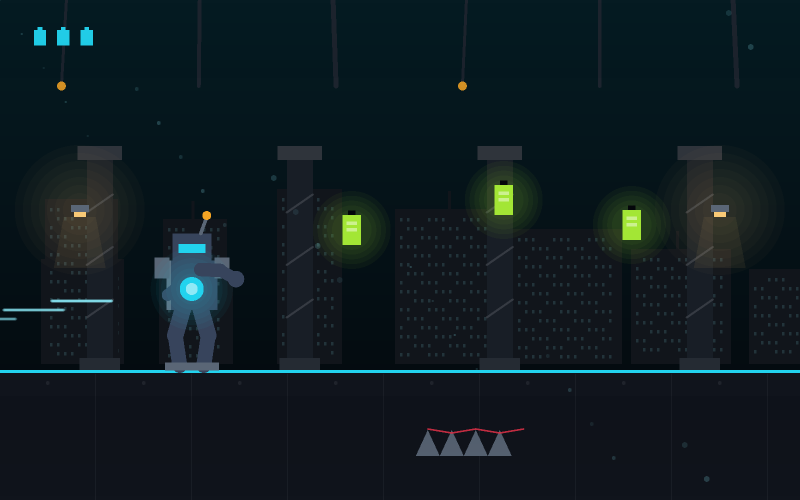
There are five obstacle types in Robot Dash and all five appear within the first twenty seconds, when the city is moving slowly enough to study them. Nothing new is introduced later.
This is a deliberate design choice and it has a practical consequence: everything that kills you at ninety seconds also appeared at twenty seconds, when you had roughly twice as long to deal with it. Practice genuinely transfers. A pattern you learn to read slowly is a pattern you can still read fast, which is not true of games that keep adding mechanics.
What does change is the speed, and it steps up in visible tiers rather than creeping. The moment just after a tier change is when most runs end, because the spacing you had internalised is suddenly wrong by a noticeable margin.
Stop watching your robot
This is the single biggest improvement available in the game and most players discover it by accident after dozens of runs. Your eyes naturally follow the thing you control, which means they sit on the left of the screen where the robot is. By the time an obstacle is next to the robot, every decision about it has already been made.
Deliberately moving your gaze to the middle of the screen - roughly the position you will occupy in about a second - feels wrong for two or three runs and then stops feeling like anything. Scores go up sharply when it does.
This is also why the robot is positioned toward the left of the play area rather than the centre. It is not composition; it exists to give you more screen in the direction you actually need to read.
Jump and slide are not interchangeable
Barriers must be jumped. Drones hover at head height and must be slid under. Some sections combine them, and that combination is the real test.
The important asymmetry is recovery time. A slide ends faster than a jump does - you are committed to a jump arc for its whole duration, but a slide can be released early. When you are genuinely unsure which one an obstacle needs, slide, because a wrong slide leaves you able to react again sooner than a wrong jump does.
The hardest pattern in the game is a barrier with a drone directly above it. Jumping clears the barrier and puts you into the drone. The answer is to jump early and land before the drone rather than jumping late, which reads as counter-intuitive until you have done it twice.
When to take an energy cell and when not to
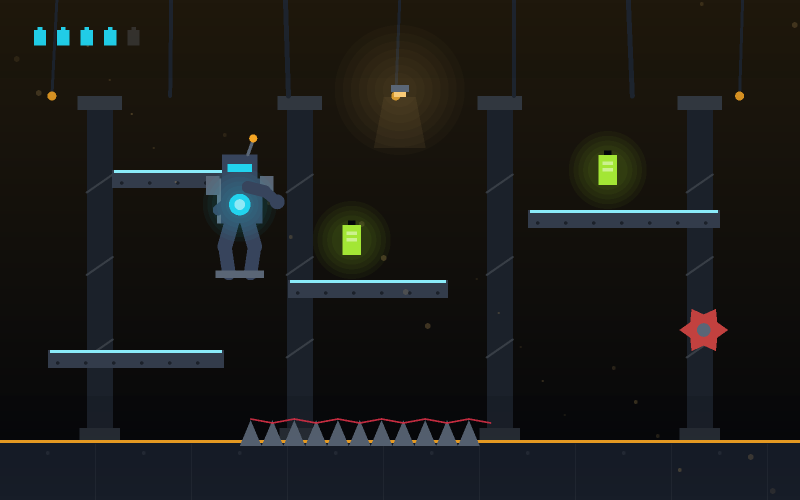
Cells sit in the path at jump height, slide height, or on the ground. They add score and build a small multiplier, and they are placed to tempt you into movements you would not otherwise make.
The rule that works: take any cell that sits on the line you were already going to travel. Do not change your line for one. A cell is worth a fraction of what surviving another ten seconds is worth, and the cells positioned awkwardly are positioned that way on purpose.
How to play
- Press Start. Your robot runs automatically - you control only jumping and sliding.
- Press Up, W or Space to jump over barriers. Press Down or S to slide under drones.
- Collect energy cells along your path to build a score multiplier.
- The city speeds up in tiers as your distance increases. The obstacles stay the same.
- One collision ends the run. Press Restart or R to go straight into another.
Controls
| Where | What to do |
|---|---|
| Jump (desktop) | Up arrow, W, or Space |
| Slide (desktop) | Down arrow or S |
| Jump (mobile) | Swipe up, or the Jump button |
| Slide (mobile) | Swipe down, or the Slide button |
| Pause | Escape or P |
| Restart | R, or the Restart button |
Scoring
These are the point values this game awards, before the combo multiplier is applied where it uses one. Hit quality changes the figure: a strike at the centre of the correct moment is worth substantially more than one at the edge of it.
Tips
- Look at the middle of the screen, not at your robot. This is worth more than everything else combined.
- When unsure whether to jump or slide, slide. It recovers faster if you were wrong.
- For a barrier with a drone above it, jump early and land before the drone rather than jumping late.
- Take cells that sit on your existing line. Never change your line for one.
- Expect the tier changes. The spacing you have internalised is wrong for a second afterwards.
- If you keep dying at the same speed tier, practise there rather than restarting for a better run.
Common mistakes
- Watching the robot instead of the road ahead of it.
- Jumping at a drone, which is the one obstacle a jump cannot clear.
- Chasing an awkwardly placed cell into an obstacle you had already read correctly.
- Holding the jump key, which does nothing - the arc is fixed from the moment of the press.
- Panicking after a tier change instead of expecting it.
Features
- Five obstacle types, all introduced in the first twenty seconds and never added to
- Visible speed tiers rather than a creeping curve, so you know when the game changed
- Near-miss scoring that rewards precise reading rather than cautious play
- Jump and slide with genuinely different recovery characteristics
- Swipe or button touch controls, both fully supported
- Best distance and best score stored in your own browser
Game information
| Genre | Robot Racing & Running - endless runner |
|---|---|
| Difficulty | Easy |
| Controls | Up/Space jumps, Down slides |
| Recommended device | Anything. A larger screen shows more of the road ahead, which genuinely helps. |
| Players | One player |
| Price | Free, with no account and nothing to unlock |
| Released | 17 February 2026 |
| Last updated | 30 August 2026 |